

This page has been automatically translated. As a result, there may be discrepancies or inaccuracies in the text. Only the original version is binding. Legal claims arising from the content of the translated version are excluded.

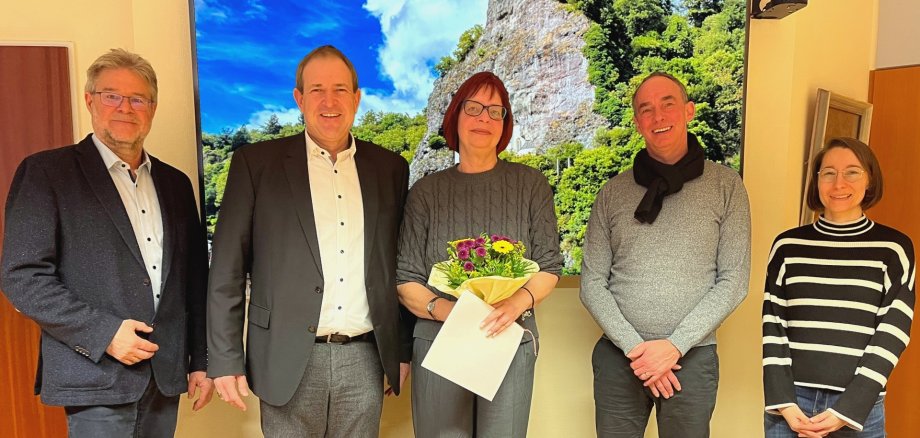
Carola Schöfferle is retired

Göttschied Primary School is the only educational institution run by the town that is not an all-day school. Instead, it offers flexible afternoon care. Carola Schöfferle had been working here since November 2015 and went into well-deserved retirement at the end of January.

The childcare program at GS Göttschied has existed for more than 25 years and was initially financed by the school's support association. Since 2015, it has been run by the municipal administration and Carola Schöfferle was one of the first municipal employees in this area. "You helped to set up this service, and I would like to thank you very much for that and for the work you have done since then for the benefit of the children," explained Lord Mayor Frank Frühauf. Of course it would be a shame if this wealth of experience were to be lost now, but the successor has already been arranged and so the future pensioner can pass on her knowledge. Head of the Youth Welfare Office Michael Schweizer praised Carola Schöfferle as a reliable employee who was always on hand. In her long career, she has always been committed to children and has also supported the expansion of childcare services. Those present thanked Carola Schöfferle with a certificate and gifts and wished her all the best for the new phase of her life.

Carola Schöfferle looked back proudly on her professional achievements. "It was a wonderful time. The children are very close to my heart and they give a lot back." The coronavirus pandemic has been a particular challenge, which has demanded a lot from both children and childcare staff. Her main wish for her successor is more space for the childcare services.

Help with accessibility

  • General

    We make every effort to ensure that our websites are accessible. You can find details on this in our accessibility statement. You can send us suggestions for improvement using our feedback form.

  • Font size

    To adjust the font size, please use the following key combinations:

    Larger

    ⌘command
    +

    Smaller

    ⌘command

    Larger

    Ctrl
    +

    Smaller

    Ctrl
  • Keyboard navigation

    Use TAB and SHIFT + TAB to navigate through next/previous links, form elements and buttons.

    Use ENTER to open links and interact with elements.

  • Contrast mode

    Press the following key combination to reduce or increase the contrast:

    Enlarge

    ⌃control
    ⌥option
    ⌘command
    .

    Decrease

    ⌃control
    ⌥option
    ⌘command
    ,
    Note: The shortcuts must be activated in the system settings of the operating system.

    Press the left ALT key + left SHIFT key + PRINT to quickly switch the high contrast mode on or off.

  • Invert colors

    Press the following key combination to switch the color inversion on and off:

    ⌃control
    ⌥option
    ⌘command
    8
    Note: The shortcuts must be activated in the system settings of the operating system.

    First activate the screen magnifier and then switch the color inversion on and off with the following key combinations:

    1. screen magnifier

    +

    2. invert colors

    Ctrl
    Old
    I
  • Screen magnifier

    Press the following key combinations to use the screen magnifier:

    Switch on/off

    ⌥option
    ⌘command
    8

    Enlarge view

    ⌥option
    ⌘command
    =

    Reduce view

    ⌥option
    ⌘command
    Note: The shortcuts must be activated in the system settings of the operating system.

    Switch on / Enlarge view

    +

    Reduce view

Select language