

This page has been automatically translated. As a result, there may be discrepancies or inaccuracies in the text. Only the original version is binding. Legal claims arising from the content of the translated version are excluded.

Unforgettable karaoke party at JAM

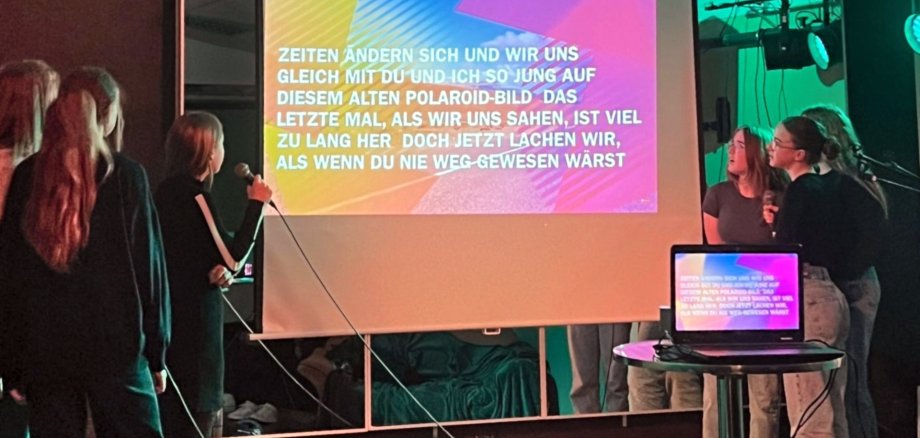
The decentralized youth work of the Idar-Obersten Youth Welfare Office invited young people to an evening full of rhythm and song at the youth club on the market square. Around 20 young people accepted the invitation to spend an unforgettable time at an exuberant karaoke party. Karaoke is a Japanese leisure activity that involves singing along to a playback while the lyrics are displayed on a screen.

It was the same at JAM and the atmosphere was rousing right from the start. After the first song, the ice was broken and karaoke was sung by the dozen. Songs by YouTuber Julien BAM and the young artists Ayliva and Mike Singer were popular. The stage served as a platform for creative performances, the air was full of energy and offered space to express oneself and create lasting memories. The brave singers were never alone on stage, however, as the audience sang along to every song and rewarded the performances with hearty applause. The JAM organizers found the atmosphere extremely appreciative and pleasant. At the end, they took to the stage themselves and performed the song "Since you've been gone" by Rainbow. It was an unforgettable evening full of music, fun and good humor that everyone will remember fondly. A repeat performance is definitely planned.

Help with accessibility

  • General

    We make every effort to ensure that our websites are accessible. You can find details on this in our accessibility statement. You can send us suggestions for improvement using our feedback form.

  • Font size

    To adjust the font size, please use the following key combinations:

    Larger

    ⌘command
    +

    Smaller

    ⌘command

    Larger

    Ctrl
    +

    Smaller

    Ctrl
  • Keyboard navigation

    Use TAB and SHIFT + TAB to navigate through next/previous links, form elements and buttons.

    Use ENTER to open links and interact with elements.

  • Contrast mode

    Press the following key combination to reduce or increase the contrast:

    Enlarge

    ⌃control
    ⌥option
    ⌘command
    .

    Decrease

    ⌃control
    ⌥option
    ⌘command
    ,
    Note: The shortcuts must be activated in the system settings of the operating system.

    Press the left ALT key + left SHIFT key + PRINT to quickly switch the high contrast mode on or off.

  • Invert colors

    Press the following key combination to switch the color inversion on and off:

    ⌃control
    ⌥option
    ⌘command
    8
    Note: The shortcuts must be activated in the system settings of the operating system.

    First activate the screen magnifier and then switch the color inversion on and off with the following key combinations:

    1. screen magnifier

    +

    2. invert colors

    Ctrl
    Old
    I
  • Screen magnifier

    Press the following key combinations to use the screen magnifier:

    Switch on/off

    ⌥option
    ⌘command
    8

    Enlarge view

    ⌥option
    ⌘command
    =

    Reduce view

    ⌥option
    ⌘command
    Note: The shortcuts must be activated in the system settings of the operating system.

    Switch on / Enlarge view

    +

    Reduce view

Select language